

The Archived Asset Tree allows you to view and interact with assets that have been removed from the main active hierarchy.
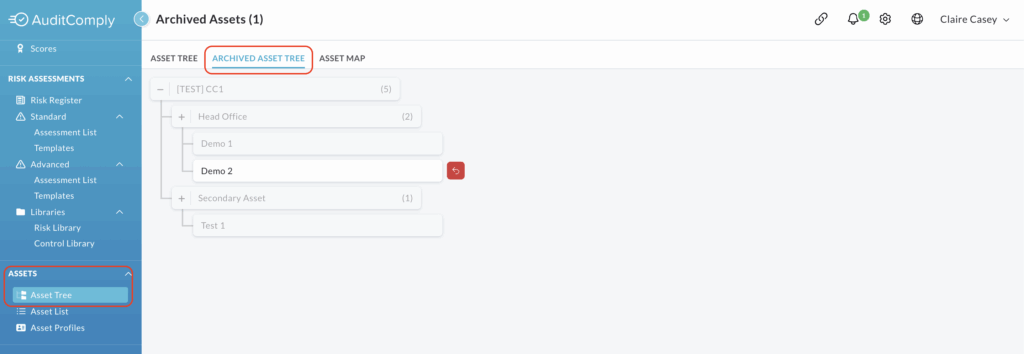
To access the Archived Asset Tree, navigate to the Assets > Asset Tree section of the main menu. Click on the second tab: Archived Asset Tree.
Interacting with the Archived Asset Tree
When viewing the archived tree, areas that are greyed out and cannot be clicked correspond to assets that are still active on your main Asset Tree.
Only assets that have been formally archived can be selected and interacted with.
Clicking on an archived asset will open a side menu, structured similarly to the menu for an active asset.
The side menu contains tabs for the assets Details, Access, Relationships and Settings.
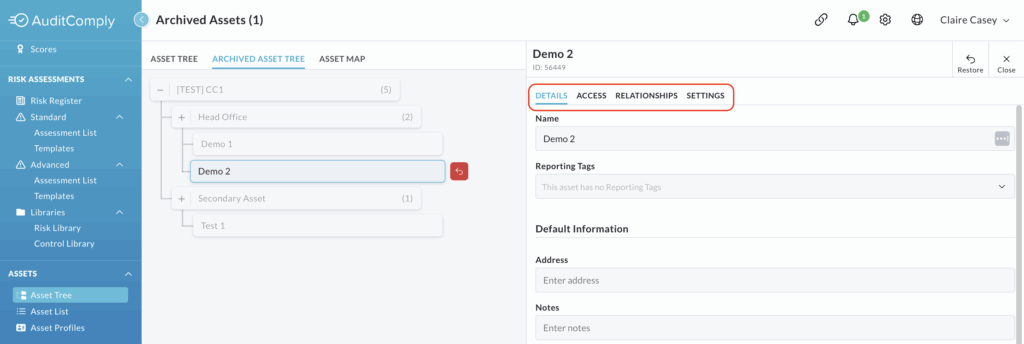
All data within the Details, Relationships and Settings tabs is purely informational and cannot be interacted with or amended.
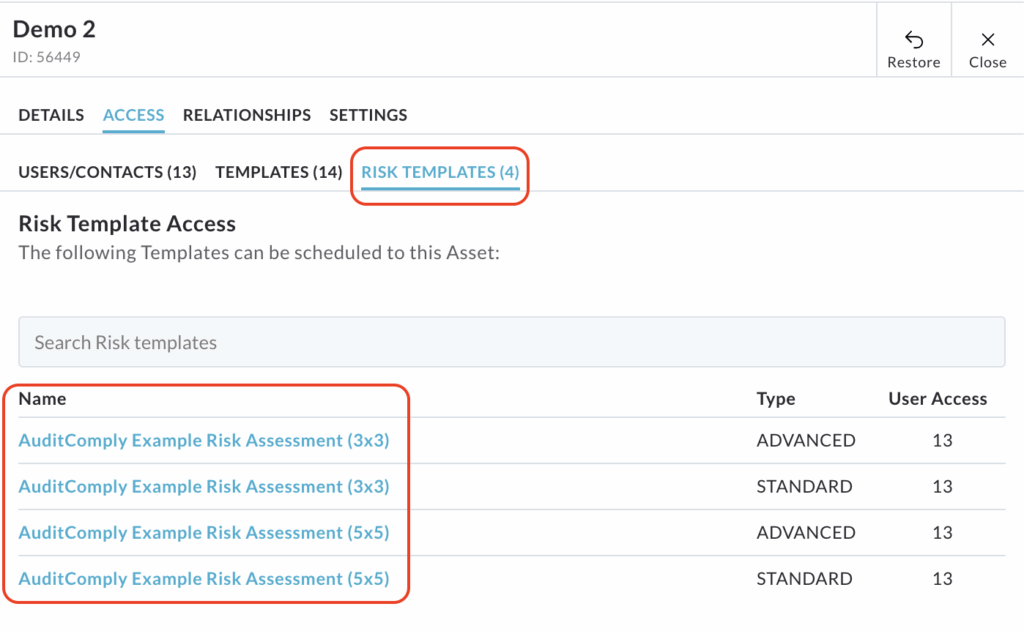
The Access tab is the only area that allows for limited interaction via two subtabs.

User/Contacts: Clicking on a user name allows you to view basic details about that user or contact user.

Risk Templates: Clicking on a Risk Assessment Template will take you to the Risk Template Builder.
How to Restore Assets
Archived assets can be moved back to the active Asset Tree, making them fully functional again.
The assets can be restored using one of two methods:
Directly on the Tree: Click the red arrow icon displayed beside the asset name within the Archived Asset Tree.
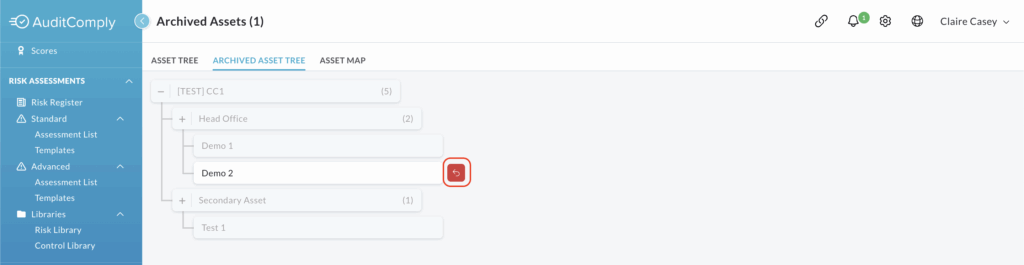
Via the Side Menu: Click on the asset to open the side menu, and then click Restore along the top menu bar.
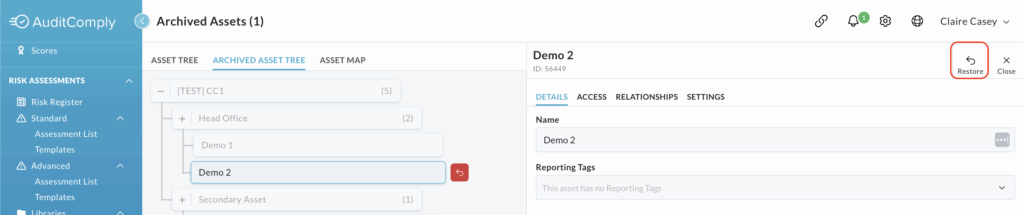
Restoring Assets
Clicking either the red arrow or the Restore button will open a pop up window asking you to confirm that you want to restore the selected asset.
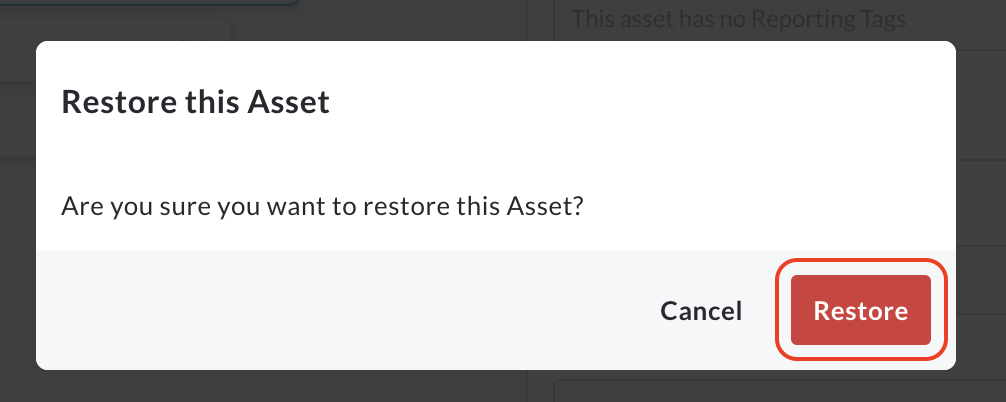
Click Restore to confirm the action.
A subsequent pop up will advise The asset will be restored momentarily.
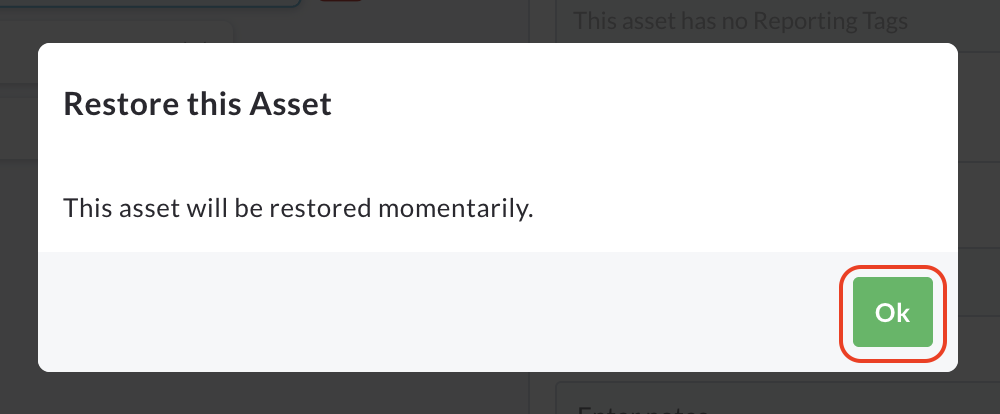
Click Ok to continue.
Once restored, the asset will immediately become greyed out (inactive) on the Archived Asset Tree and will be fully available to view and interact with on the main Asset Tree.